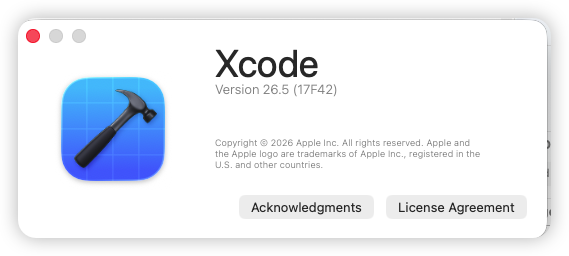
我的 Xcode 26 才今天刚刚适配,主要被逼的,App提交不了了,不然真懒的适配
AFNetworking 的编译报错误
Use of private header from outside its module: 'netinet6/in6.h'
YYKit/YYText 的编译报错误,话说 YY 系列基本废了,大厂在维护自己的内部版本,要不早点废弃,要不 fork 一份自己改,作者是既不修复,也不交给社区维护,难!
Chained comparison 'X < Y < Z' does not behave the same as a mathematical expression
iOS 26 的毛玻璃效果导致 导航栏高度、图标、TabBar的图标,真TMD丑
临时措施就是在 plist 中添加 UIDesignRequiresCompatibility  = YES

希望 WWDC 26 不要作死,强制废除 UIDesignRequiresCompatibility 了
下面说两个部分的解决方法
使用 Pods 配置文件来修改,当日你手动修改也是一样的效果,只不过维护方面使用 Pods 效果好一些,话说 CocoaPods 的生命已经倒计时了,Flutter已经放弃支持了,又是一个坑。
在 Podfile 文件末尾加入下面内容,如果你原来有 post_install do |installer| 了,那你应该知道怎么调整,具体在注释中说的很清楚了,此配置也是网络搜索的,根据我实际项目的情况下进行修改,你也需要根据实际项目情况进行修改,需要修改的部分 ⚠️ 标注了
post_install do |installer|
  # 解决微信或者其他SDK 不支持 Arm架构模拟器的问题
  installer.pods_project.build_configurations.each do |config|
    config.build_settings["EXCLUDED_ARCHS[sdk=iphonesimulator*]"] = "arm64"
  end

  # Xcode 26 Explicit Modules:不允许直接 #import Darwin 私有头 <netinet6/in6.h>
  # ⚠️如果Pods路径非默认的情况下使用你的路径
  # pods_dir = File.join(installer.sandbox.root, 'Pods')

  # ⚠️使用默认 Pods 路径,当前目录下 Pods
  pods_dir = installer.sandbox.root

  puts "[Podfile] pods_dir: #{pods_dir}"

  # 查找并修复 netinet6 引用
  files_with_netinet6 = Dir.glob(File.join(pods_dir, '**', '*.{h,m,mm,c}')).select do |file|
    File.read(file).include?('#import <netinet6/in6.h>')
  end

  puts "[Podfile] Found #{files_with_netinet6.length} files with netinet6/in6.h"

  files_with_netinet6.each do |file|
    begin
      content = File.read(file)
      File.chmod(0644, file)
      new_content = content.gsub(/^\s*#import\s+<netinet6\/in6\.h>\s*\n/, '')
      File.write(file, new_content)
      puts "[Podfile] ✅ Removed #import <netinet6/in6.h> from #{file}"
    rescue => e
      puts "[Podfile] Warning: failed to patch #{file}: #{e.message}"
    end
  end


  # 修复 YYTextLayout.m 的链式比较
  # ⚠️ 如果是使用其他 如 YYText是不一样的路径
  # 可以在 Pods目录中查找你的 YYTextLayout 的路径,更具实际路径修改下面
  # 比如我的查出来为  Pods/YYKit/YYKit/Text/Component/YYTextLayout.m:
  # 查询命令(PS:如果是YYText,查询命令参数需要修改) grep -r "fabs(left - point.y) < fabs(right - point.y)" Pods/YYKit/ --include="*.m"
  # 如果是 YYText的话,查询命令需要修改下
  yytext_layout_file = File.join(pods_dir, 'YYKit', 'YYKit', 'Text', 'Component', 'YYTextLayout.m')

  puts "[Podfile] Looking for: #{yytext_layout_file}"
  puts "[Podfile] File exists: #{File.exist?(yytext_layout_file)}"

  if File.exist?(yytext_layout_file)
    begin
      content = File.read(yytext_layout_file)
      puts "[Podfile] File contains chained comparison: #{content.include?('fabs(left - point.y) < fabs(right - point.y) <')}"

      new_content = content.
        gsub(
          'position = fabs(left - point.y) < fabs(right - point.y) < (right ? prev : next);',
          'position = (fabs(left - point.y) < fabs(right - point.y)) ? prev : next;'
        ).
        gsub(
          'position = fabs(left - point.x) < fabs(right - point.x) < (right ? prev : next);',
          'position = (fabs(left - point.x) < fabs(right - point.x)) ? prev : next;'
        )

      if new_content != content
        File.chmod(0644, yytext_layout_file)
        File.write(yytext_layout_file, new_content)
        puts "[Podfile] ✅ Fixed chained comparison in #{yytext_layout_file}"
      else
        puts "[Podfile] ⚠️ Content unchanged - no match found"
      end
    rescue => e
      puts "[Podfile] Warning: failed to patch #{yytext_layout_file}: #{e.message}"
    end
  else
    puts "[Podfile] ⚠️ File not found!"
  end
end
修改完 执行
pod install
然后在编译就可以了,如果编译不通过
执行 pod install --verbose

将日志方式给 AI 让他根据日志给你修改上述 配置文件
最后,项目早点切 Swift 吧,Objective-C 是真不行了,现在 AI 很方便,Objective- C/UIKit 切换 Swift/UIKit基本很省事了; PS:至于 Swift UI 还是算了吧
原文标题:Xcode Version 26.5 (17F42) 适配
原文链接:https://www.yiem.net/archives/4367.html

文章评论