今天在使用 Python3 打包工具 pyinstaller 时,在终端运行之后提示 pyi-makespec: command not found ,今天我们来演示如何解决这个问题。
问题识别 - pyi-makespec: command not found
在 macOS 中执行 pyinstaller 进行打包时提示 pyi-makespec: command not found pyinstaller 的命令无法找到;
PS:一般这种问题都是逃不过环境变量出了问题。
解决 pyi-makespec: command not found 问题
我当前使用的环境版本
Python 版本:3.9.6
pip3 版本: 21.2.4
第一步:确认 pyinstaller 有没有成功安装
可以使用第三步的方式查询,也可以使用第二步的方式重新安装
第二步:安装 pyinstaller
pip3 install pyinstaller 在终端中执行此命令来进行安装 pyinstaller
第三步:查看能否使用命令
which pyinstaller
如果提示 pyinstaller not found 那就说明 pyinstaller 环境变量没有配置好;
如果显示对应的路径,如:/Users/xxx/Library/Python/3.9/bin/pyinstaller,则说明可以直接使用了,不需要额外配置;
第三步:获取 pyinstaller 安装路径
pip3 show pyinstaller 使用此命令查看 pyinstaller 的安装命令(你的可能是 pip 而不是像我一样的 pip3)
#输入
pip3 show pyinstaller

# 输出
Name: pyinstaller
Version: 5.10.1
Summary: PyInstaller bundles a Python application and all its dependencies into a single package.
Home-page: https://www.pyinstaller.org/
Author: Hartmut Goebel, Giovanni Bajo, David Vierra, David Cortesi, Martin Zibricky
Author-email:
License: GPLv2-or-later with a special exception which allows to use PyInstaller to build and distribute non-free programs (including commercial ones)
Location: /Users/xxx/Library/Python/3.9/lib/python/site-packages
Requires: altgraph, pyinstaller-hooks-contrib, setuptools, macholib
Required-by:
我们需要的安装路径就 Location 路径,我们将他记录下来;
第四步:配置环境变量
- 编辑
~/.zshrc文件,(macOS现在默认使用的是zsh而不是bash,如果你使用的是bash,请配置 文件~/.bash_profile;具体操作方式一样) - 可以使用
vi ~/.zshrc来编辑,当然也可以使用open ~/.zshrc来打开默认编辑器编辑,我们以编辑器为例

- 在最后一行加入
export PATH=${PATH}:/Users/xxx/Library/Python/3.9/bin,如果你的环境变量像我这种情况下,请不要添加值最后一行,容易起冲突;路径的来源就是我们第三步执行命令之后的Location路径文件,其中/lib/python/site-packages不需要,在剩下的/Users/xxx/Library/Python/3.9后面拼接/bin如何就是完成的环境变量 - 保存
~/.zshrc文件 - 在命令行执行
source ~/.zshrc,如果是bash_profile中编辑的, 请执行source ~/.bash_profile - 执行命令
pyinstaller -v我们会看到输出版本号5.10.1此时就说明大功告成
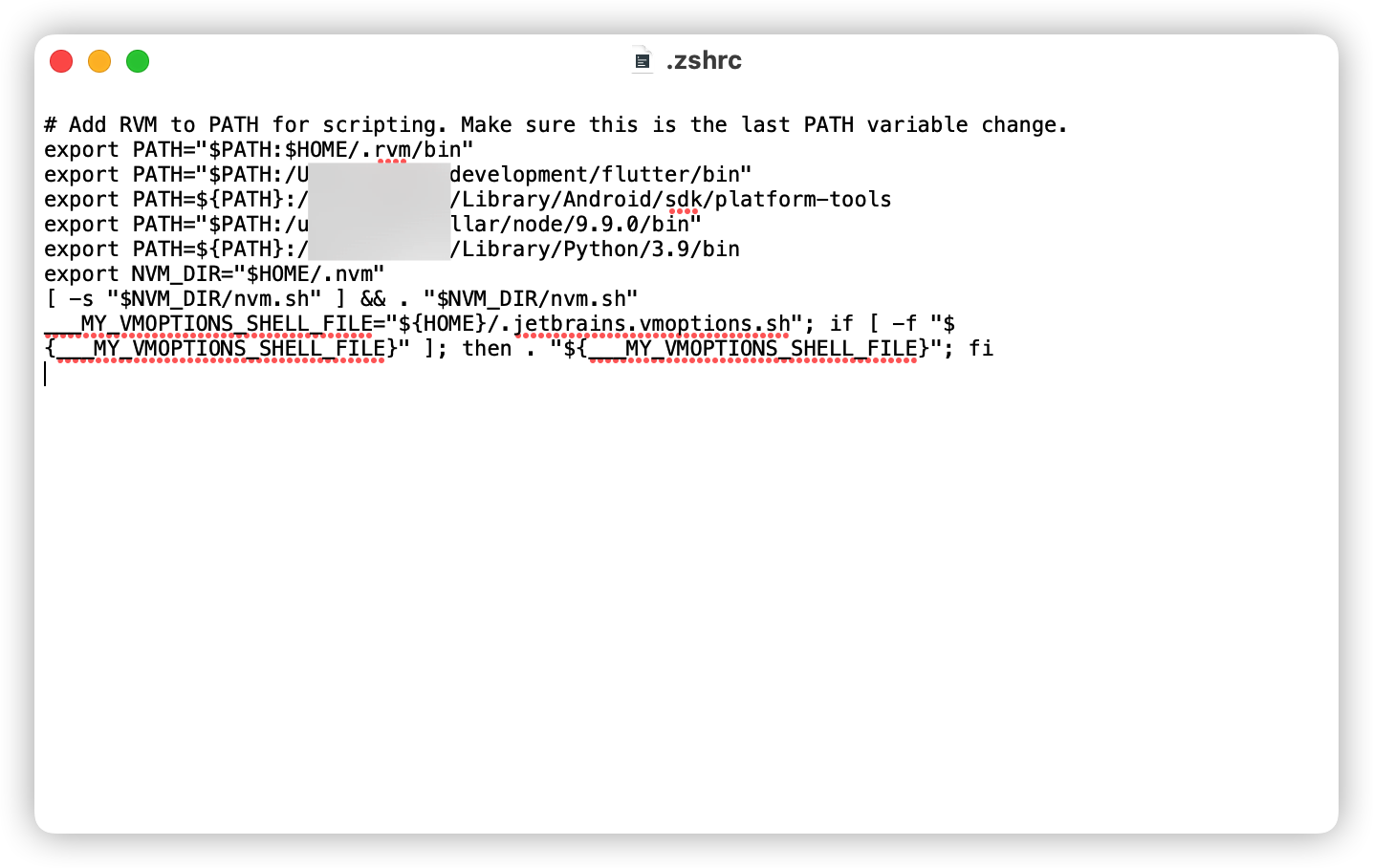
到此为止,我们解决了macOS中 pyinstaller not found ,sh: pyi-makespec: command not found 的问题

文章评论